> For the complete documentation index, see [llms.txt](https://help.slimemail.vn/start/llms.txt). Markdown versions of documentation pages are available by appending `.md` to page URLs; this page is available as [Markdown](https://help.slimemail.vn/start/gui-email-dau-tien/1.-tao-chien-dich-email/cach-1-tao-noi-dung-email-bang-chatgpt.md).
# Cách 1: Tạo nội dung email bằng ChatGPT
Với sự tích hợp của ChatGPT trong SlimEmail, giờ đây bạn có thể tạo ra các bản nháp email chất lượng cao ngay lập tức. Tính năng này giúp bạn tiết kiệm thời gian, khơi gợi ý tưởng và đảm bảo email của
***
**BƯỚC 1:** bấm nút **"Tạo nội dung email bằng AI"** để truy cập vào ChatGPT *(được tùy chỉnh cho SlimEmail)*
***
**BƯỚC 2: Tạo nội dung email trong ChatGPT**
* **B2.1** - Hãy cung cấp một số thông tin cho ChatGPT như
* *Sản phẩm bạn muốn giới thiệu là gì?*
* *Đặc trưng nổi bật nhất của sản phẩm?*
* *Đối tượng bạn đang nhắm tới là ai?*
* *Có link CTA kêu gọi hành động không?*
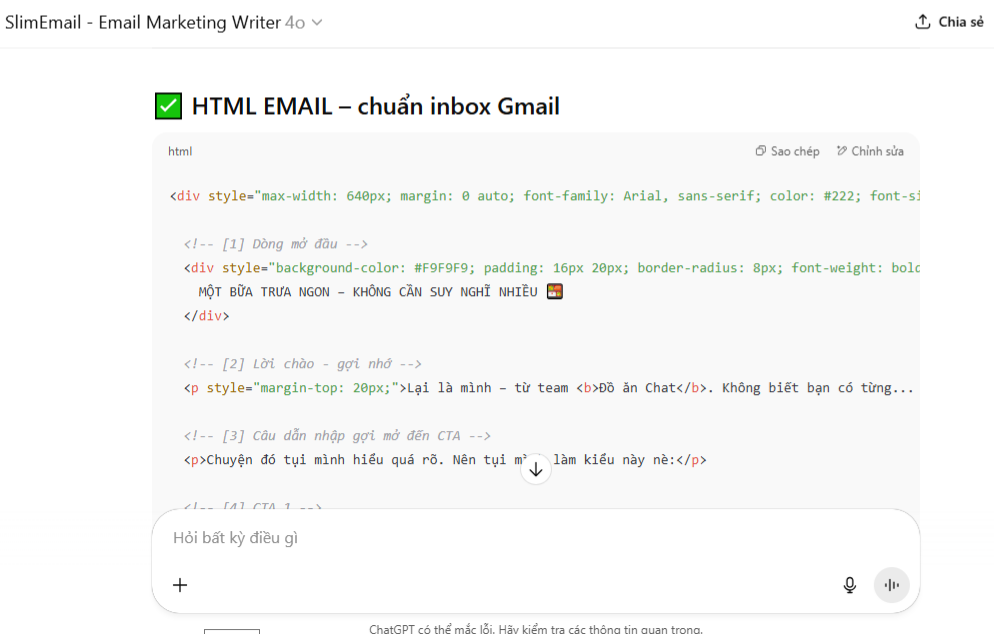
* **B2.2** - Kết quả trả về từ ChatGPT sẽ là đoạn mã HTML được format và tối ưu theo thuật toán *(như hình bên dưới)*
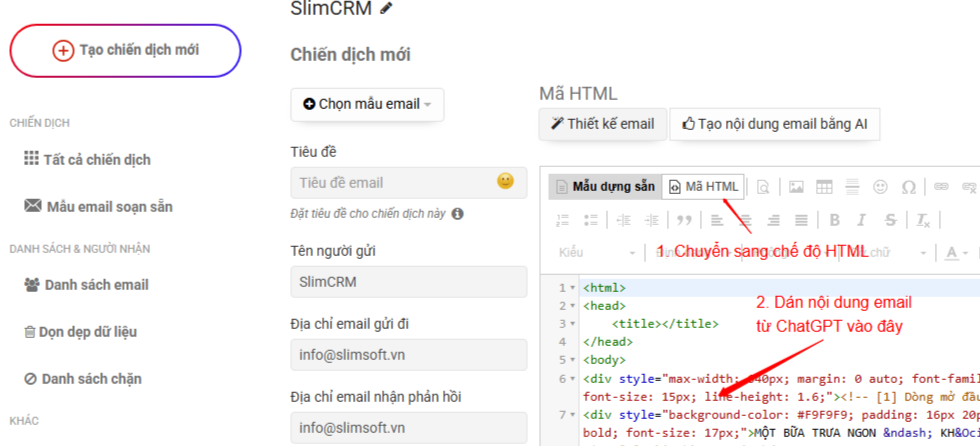
* **B2.3** - Bấm *"Sao chép*" mã HTML code và dán vào trình soạn thảo của SlimEmail
* Lưu ý: bạn cần chuyển trình soạn thảo sang chế độ **"Mã HTML"**
***
**BƯỚC 3: Gửi thử email**
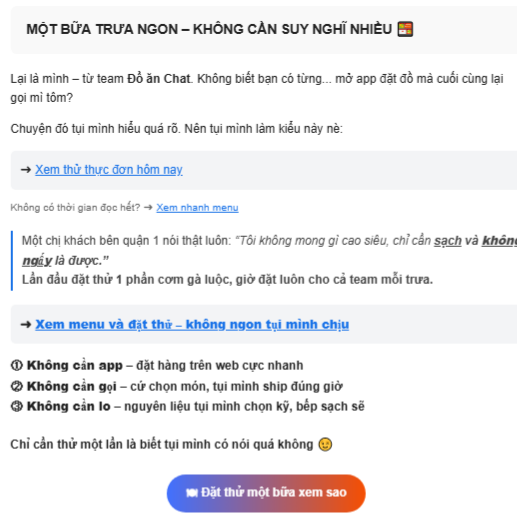
* Sau đó điều chỉnh lại nội dung text đến khi bạn ưng ý
* Nội dung email khi hiển thị sẽ tương tự hình bên dưới